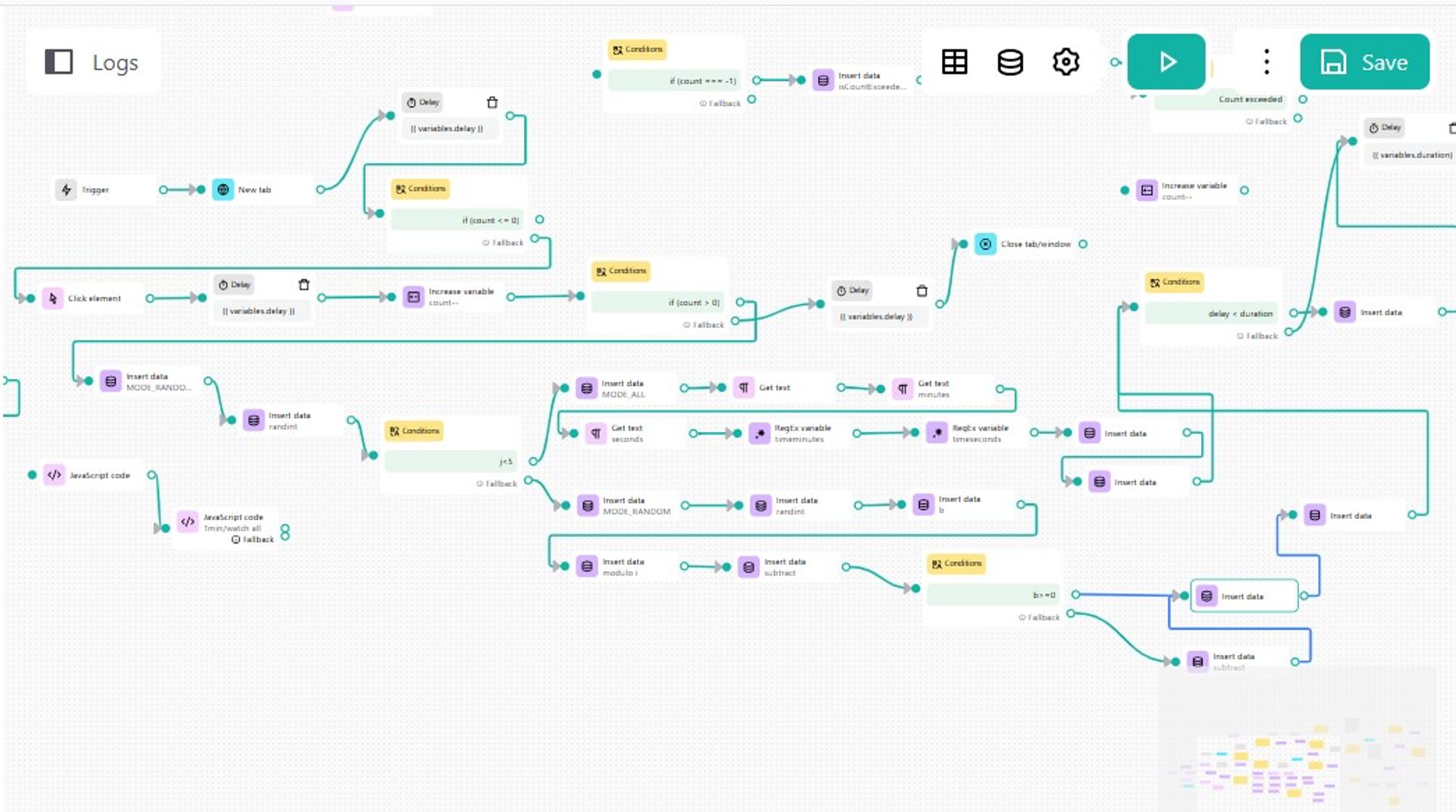
Youtube viewer bot from recomendation 2026 v1
Set the search topic for the video, and watch the YouTube recommendations automatically
YouTube Viewer Bot from Recommendation 2026
Auto workflow for YouTube recommendation browsing & view simulation.
Growing visibility on YouTube requires more than simply uploading videos. Recommendation traffic plays a major role in how videos gain momentum, increase watch activity, and appear more naturally inside the YouTube ecosystem. The YouTube Viewer Bot from Recommendation 2026 is an automation workflow designed to simulate realistic recommendation-based viewing behavior directly inside the browser.
This workflow automatically searches videos, opens content from search results, navigates through recommended videos, and simulates watch sessions using randomized timing and interaction logic.
Why Should You Use This Workflow?
This automation is useful for creators, marketers, testers, and researchers who want to simulate natural browsing sessions through YouTube recommendations. Instead of opening only one direct video link, the workflow creates continuous viewing chains that imitate organic user navigation patterns.
The automation can help with:
- Recommendation feed interaction simulation
- Search-to-watch user flow testing
- Video discovery behavior emulation
- Browser automation experiments
- YouTube workflow prototyping
- Channel visibility testing
- Session-based watch activity simulation
Its block-based structure also makes it easy to customize and expand for advanced automation scenarios.
How to Use and Get Started
Prerequisites
Before using the workflow, make sure you have:
- Goless browser extension installed
- Active Goless account
- Chromium-based browser
- Internet connection
- Access to YouTube
Understanding GoLess
Goless is a no-code browser automation platform that allows users to build automated workflows using visual blocks and JavaScript logic. It supports browser interaction, web scraping, automation loops, conditions, delays, and DOM manipulation without requiring full-scale programming knowledge.
The Youtube viewer bot from recomendation workflow is built using connected automation blocks that simulate realistic browser actions directly inside YouTube pages.
Using the Workflow
Workflow Features
The automation includes:
- Automatic YouTube search
- Video opening from search results
- Navigation through recommended videos
- Configurable watch count
- Randomized viewing duration
- Delay management
- Loop control
- Conditional logic
- CSS selector targeting
- JavaScript execution inside browser pages
How It Works
-
The workflow opens YouTube search results using a custom keyword.
-
A video is selected automatically from search results.
-
The automation watches the video for either:
- full duration
- randomized partial duration
-
Recommended videos are opened automatically.
-
The workflow continues until the configured watch count is completed.
Customization Options
You can modify:
- Search keyword
- Number of videos to watch
- Delay intervals
- Watch duration logic
- Random/randomized behavior
- CSS selectors
- Recommendation traversal strategy
- Loop behavior
- JavaScript automation logic
Monitoring and Analysis
During execution you can monitor:
- Opened videos
- Recommendation transitions
- Current workflow state
- Variable values
- Delays and timers
- Loop execution
- Browser actions
The workflow also supports debugging and state tracking through the Goless automation interface.
Questions and Answers
What is the purpose of this automation?
The workflow automates YouTube browsing behavior by simulating video watching sessions through search results and recommendation chains.
Does the workflow interact with YouTube recommendations automatically?
Yes. The automation can automatically open videos from the recommendation sidebar and continue browsing based on workflow conditions.
Can the workflow simulate random watch duration?
Yes. The workflow supports randomized watch timing and partial/full video viewing logic.
Can I modify the workflow blocks?
Yes. The workflow is fully editable inside the Goless visual editor. You can add, remove, or customize blocks and JavaScript logic.
Does the workflow support loops and conditions?
Yes. The automation includes loop elements, counters, variable states, delays, and conditional branching.
Is coding knowledge required?
Basic usage does not require coding knowledge. Advanced customization may involve JavaScript and CSS selectors.
Can this workflow be used for browser automation experiments?
Yes. The workflow is suitable for browser automation research, testing, and educational experimentation with YouTube navigation systems.